2026-10-24
Widening the Frame: How We Bring Old Masters to the 16:9 Screen
Most great paintings were never meant for a widescreen. Here is how we extend public-domain masterpieces to 16:9 in 4K, without ever touching a single brushstroke of the original.
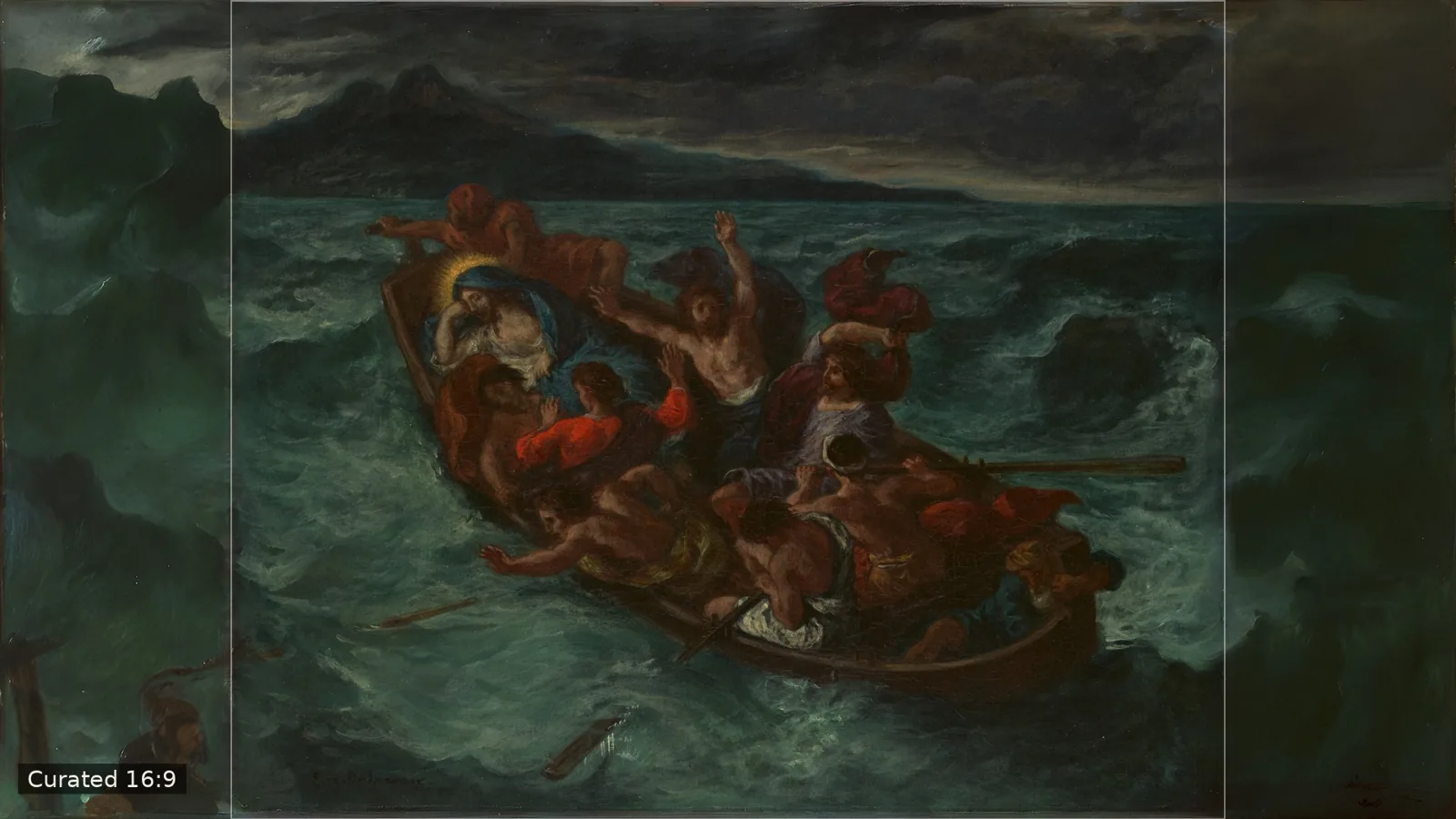
There is a quiet frustration that every owner of an art TV eventually feels. You choose a Cézanne for the living room wall, the screen wakes up, and the painting appears marooned between two black bars, or worse, cropped until the mountain loses its summit. The problem is not the painting and it is not the screen. It is geometry.
Painters worked in the proportions their subject demanded. Portraits stand upright, landscapes stretch a little, seascapes sometimes approach the square. Almost none of them were painted at 16:9, the proportion of every modern television. At Curated Classics AI we spend our days closing that gap, and we want to show you exactly how we do it.
It starts with curation
Everything we publish begins with a public-domain work from The Metropolitan Museum of Art's Open Access collection, released under CC0. That means the images are free for anyone to use, and we can be completely transparent about where each one comes from.
We look for oil paintings with a strong sense of place: open skies, coastlines, harbors, valleys, roads leading somewhere. We deliberately mix centuries and schools, so a Dutch harbor scene can sit next to a French Realist cliff face and a Provençal valley. Not every work makes it. If the museum photograph includes a frame, a shaped panel or a dark border, it is set aside: a painting has to arrive clean before we can widen it honestly.
The geometry problem
A typical easel landscape is somewhere between 4:3 and 3:2. To fill a 16:9 screen, roughly a quarter to a third of the final image has to be new. Cropping is not an option for us, because it removes what the artist chose to include. Letterboxing wastes the screen. So we extend.
Extending the painting, not replacing it
We use AI outpainting to continue the scene beyond its original edges: more sky above the horizon, more water, the rest of a hillside the painter only hinted at. The guidance is strict. The extension has to follow the artist's brushwork, palette and light, and continue the composition rather than add to it. No new figures, no invented buildings, no modern details.
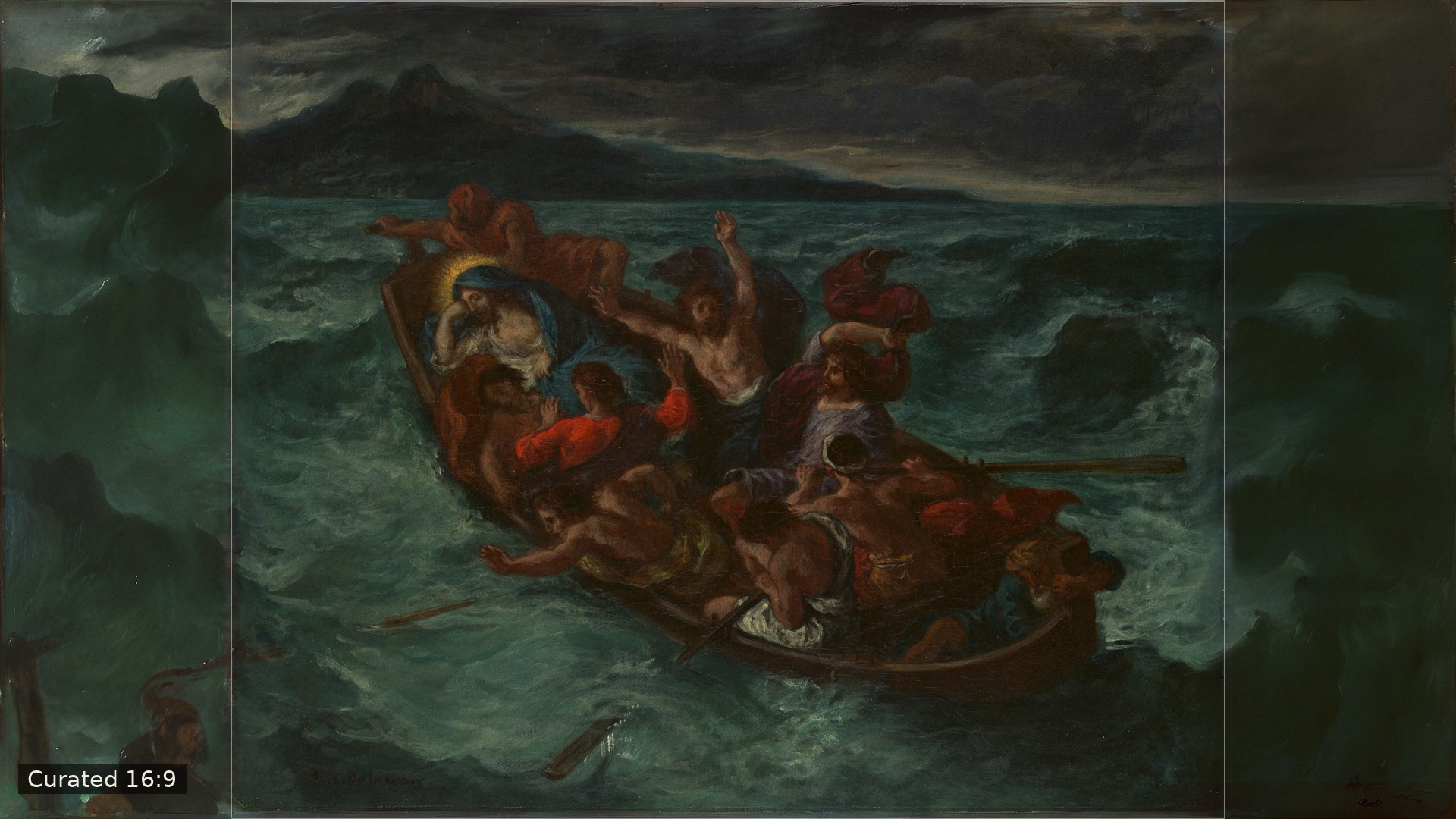
Then comes the step we care about most: the original is never altered. After the extension is generated, we place the museum image back on top, pixel for pixel, and blend only a thin margin at the edges so the join disappears. Before that happens we gently match the colour and sharpness of the new areas to the painting next to them, so the eye travels across the seam without catching on it. Everything you see inside the outline in our comparisons below is exactly what the artist painted.
4K and the feeling of canvas
Each work is finished at 3840 × 2160, true 4K. A painting on a screen can look too perfect, though: flat, glassy, digital. So we add the last thing a real painting has and a photograph loses: its surface. A subtle canvas weave, lit as if by a window to the upper left, fine age craquelure that shows most in pale skies (as it does on real canvases), and a whisper of grain. It is applied evenly across the whole image, original and extension alike, so the picture reads as one object hanging on your wall.
Checking our work, twice
Every finished image goes through an automatic check. We measure brightness and sharpness on both sides of each join, and if the extension drifts too far from the original, the work is redone with a fresh attempt. If it still is not right, it is held back.
Then a person looks. Our first hundred works are being reviewed by someone we trust, Turk, who studies each join, each sky, each horizon, and approves, flags or rejects. Machines are good at measuring; a human eye knows when a cloud simply would not have been painted that way.
What it is for
The result is made for art TVs and digital frames, from the Samsung Frame to the Ember Artline: screens that spend most of their lives as pictures. With a correctly proportioned, full-resolution, canvas-textured masterpiece, the screen stops looking like a television and starts behaving like a wall of art.
Three before-and-afters
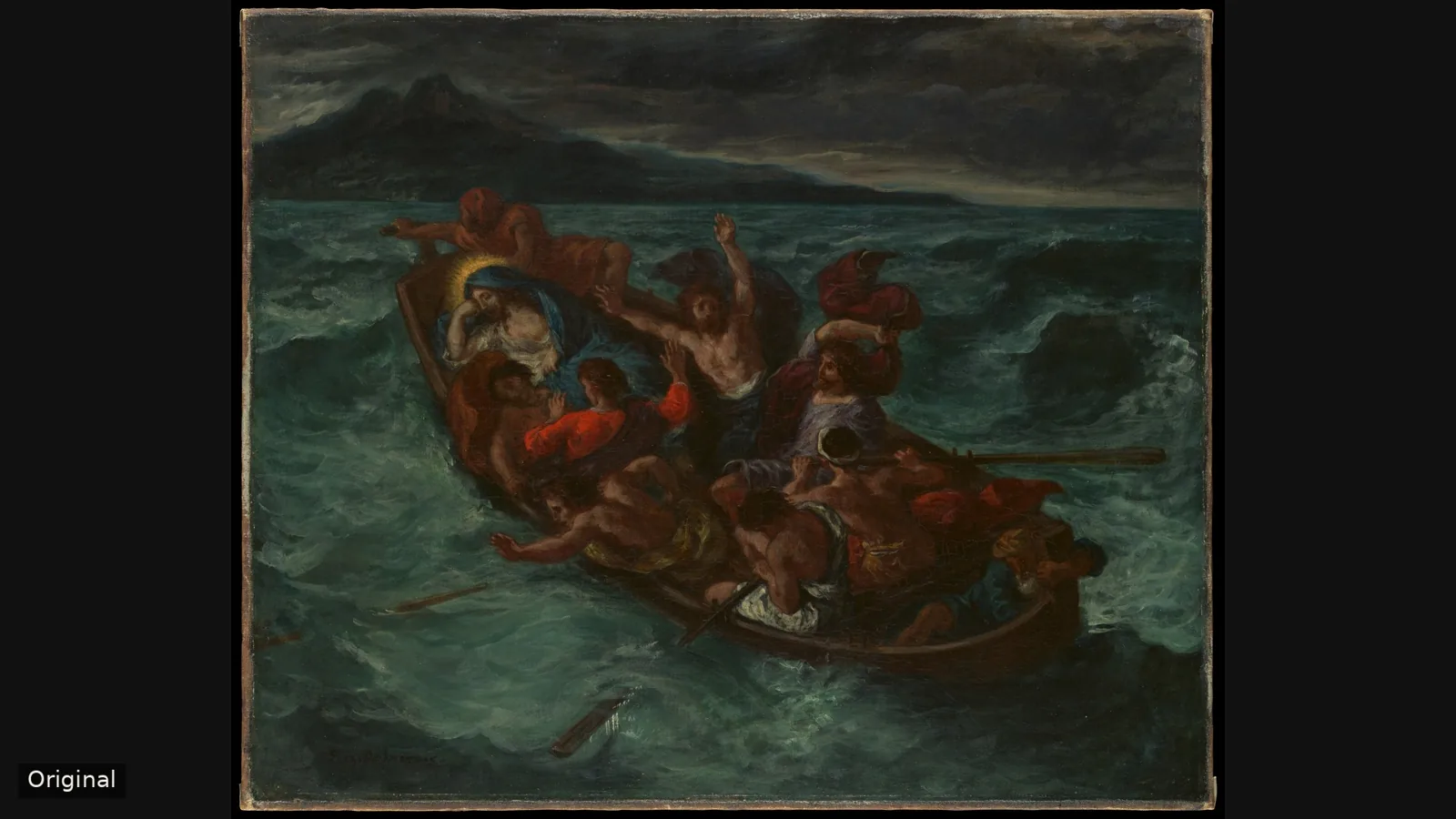
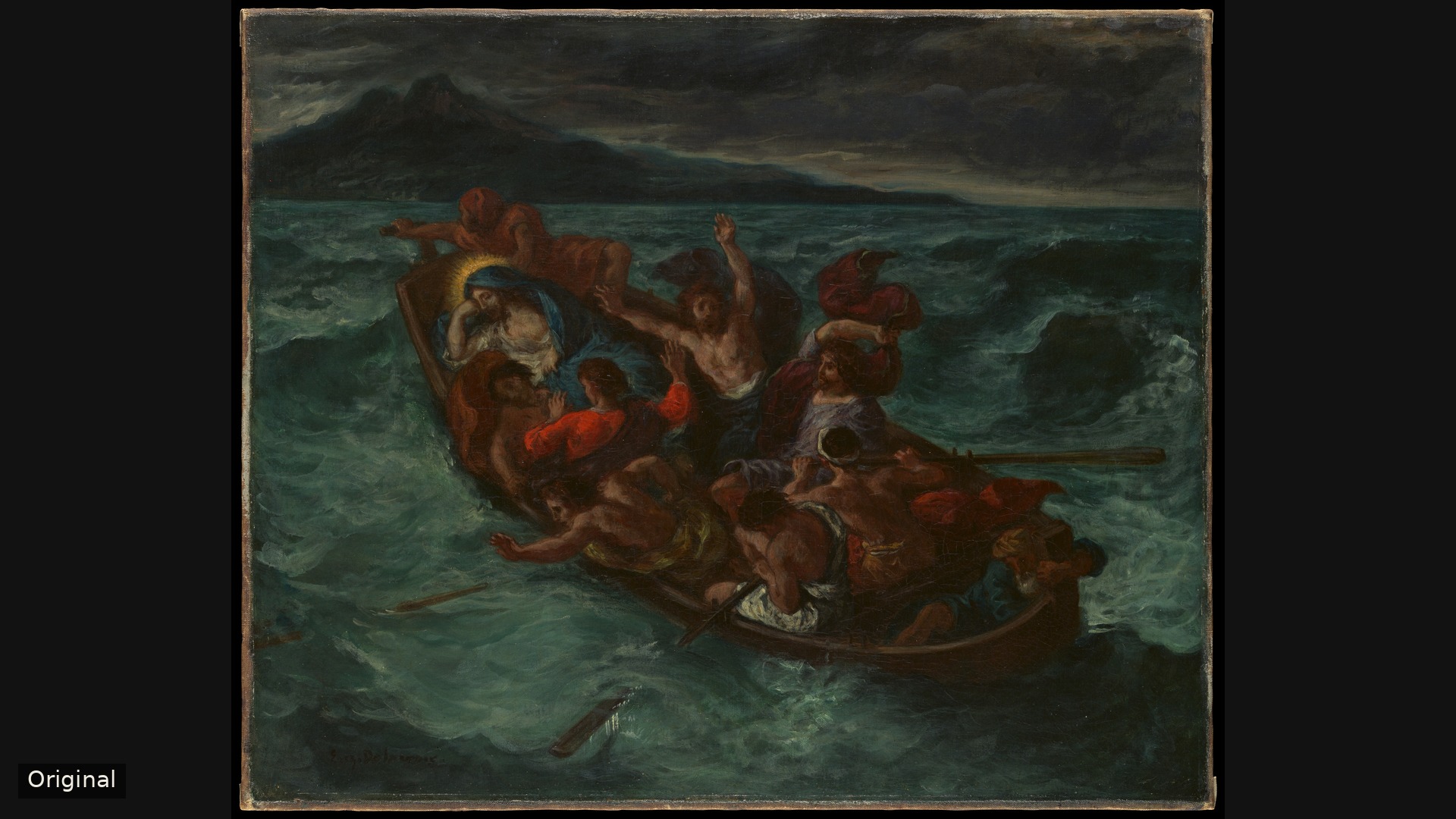
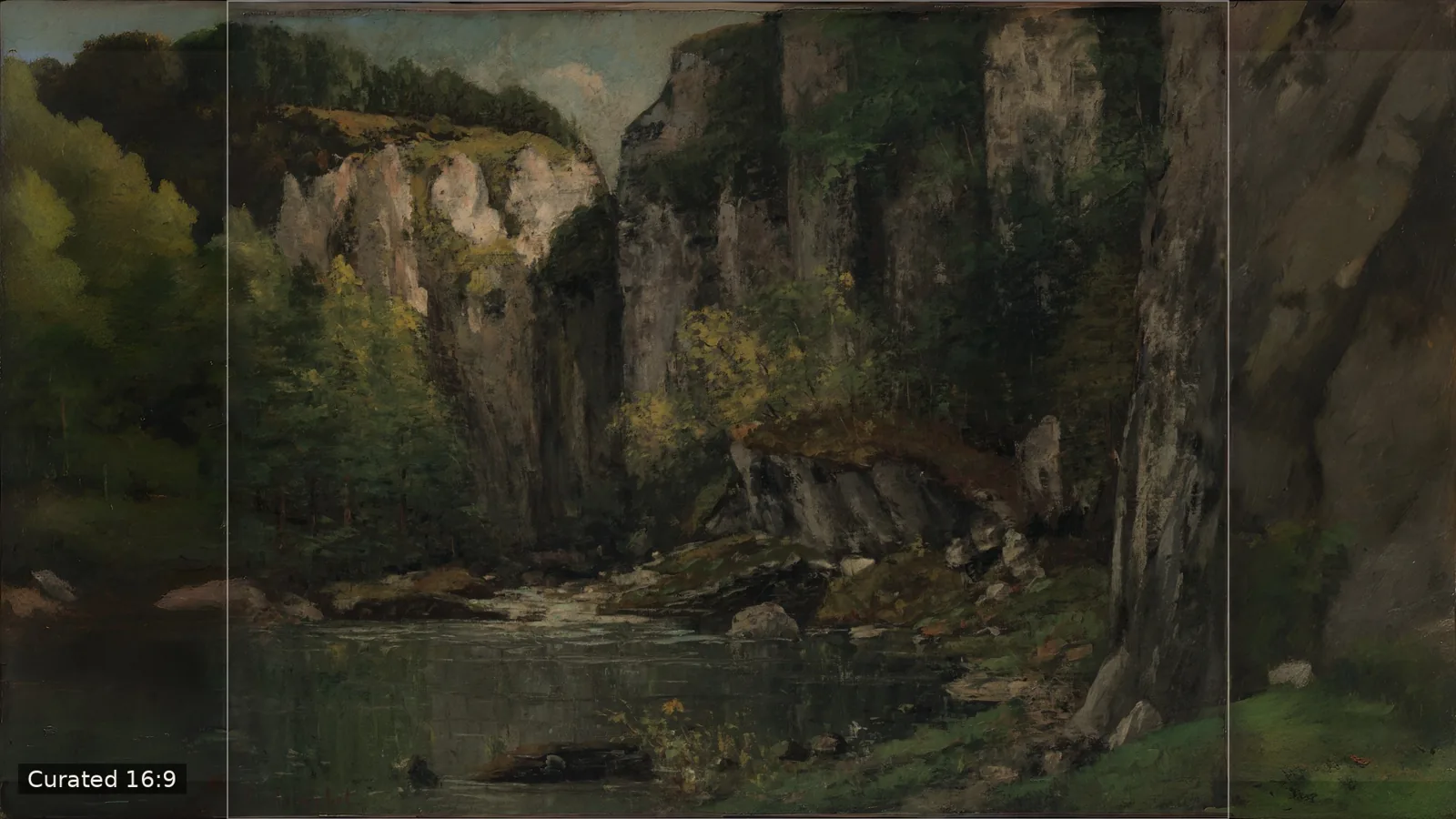
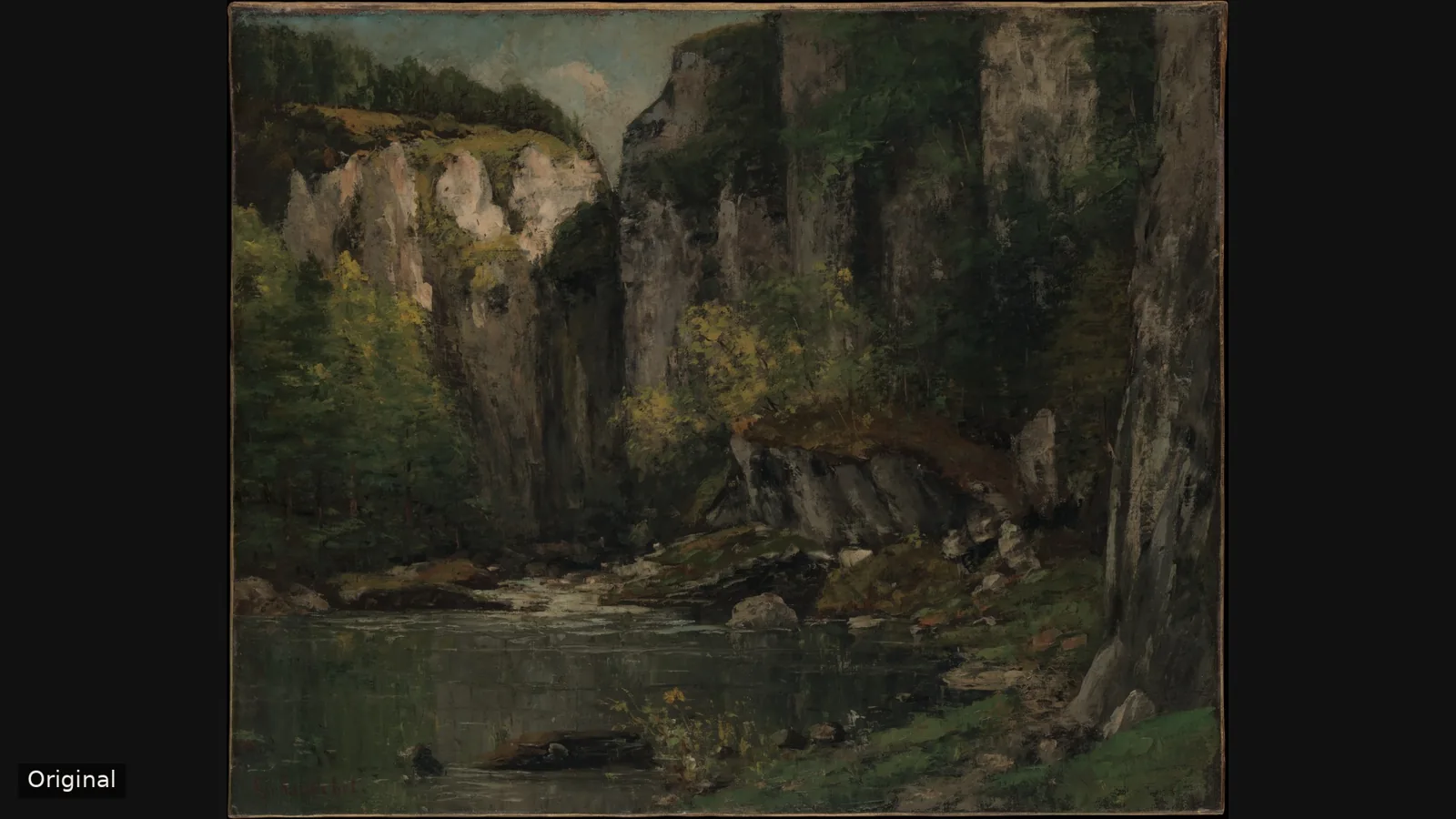
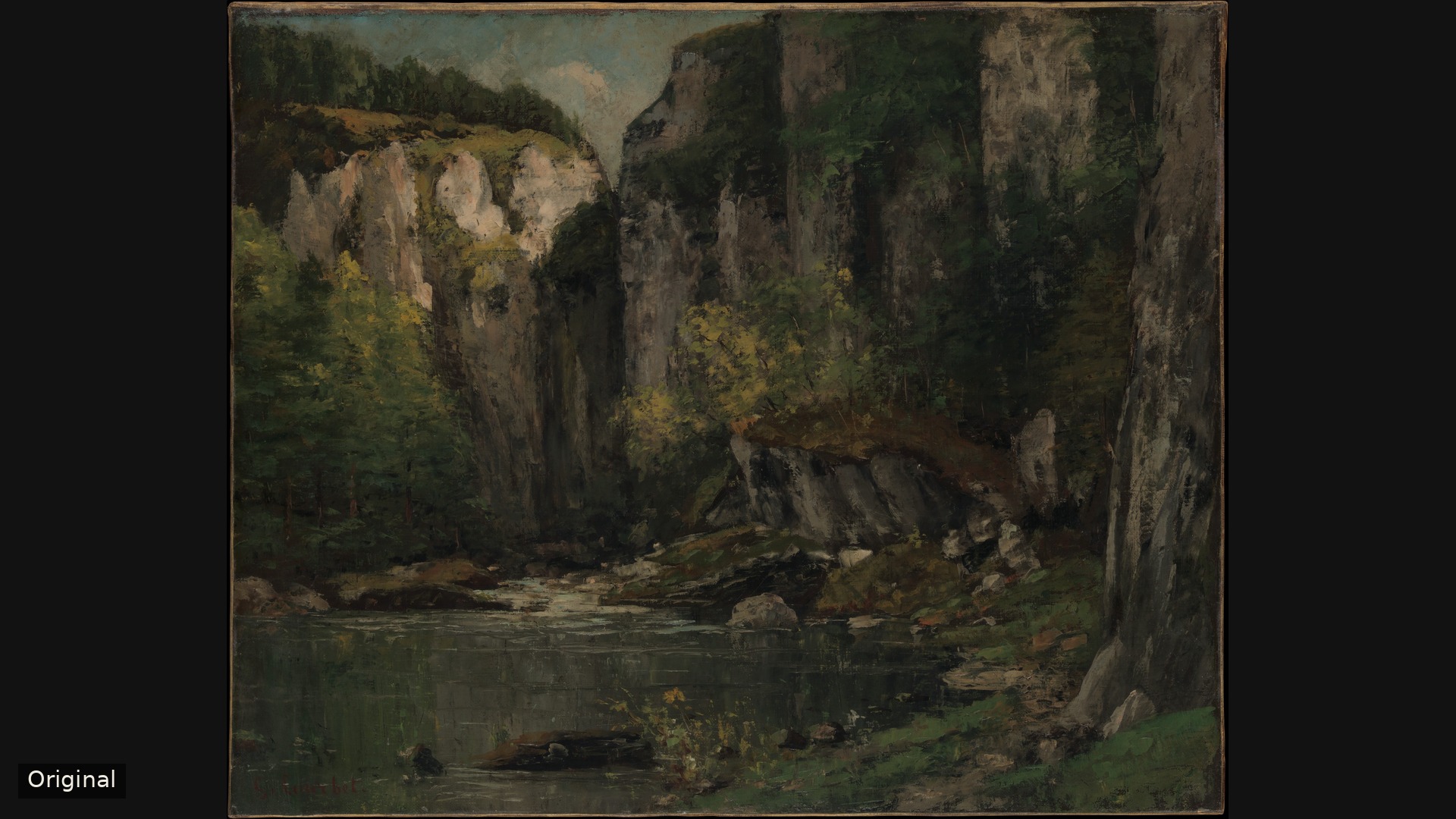
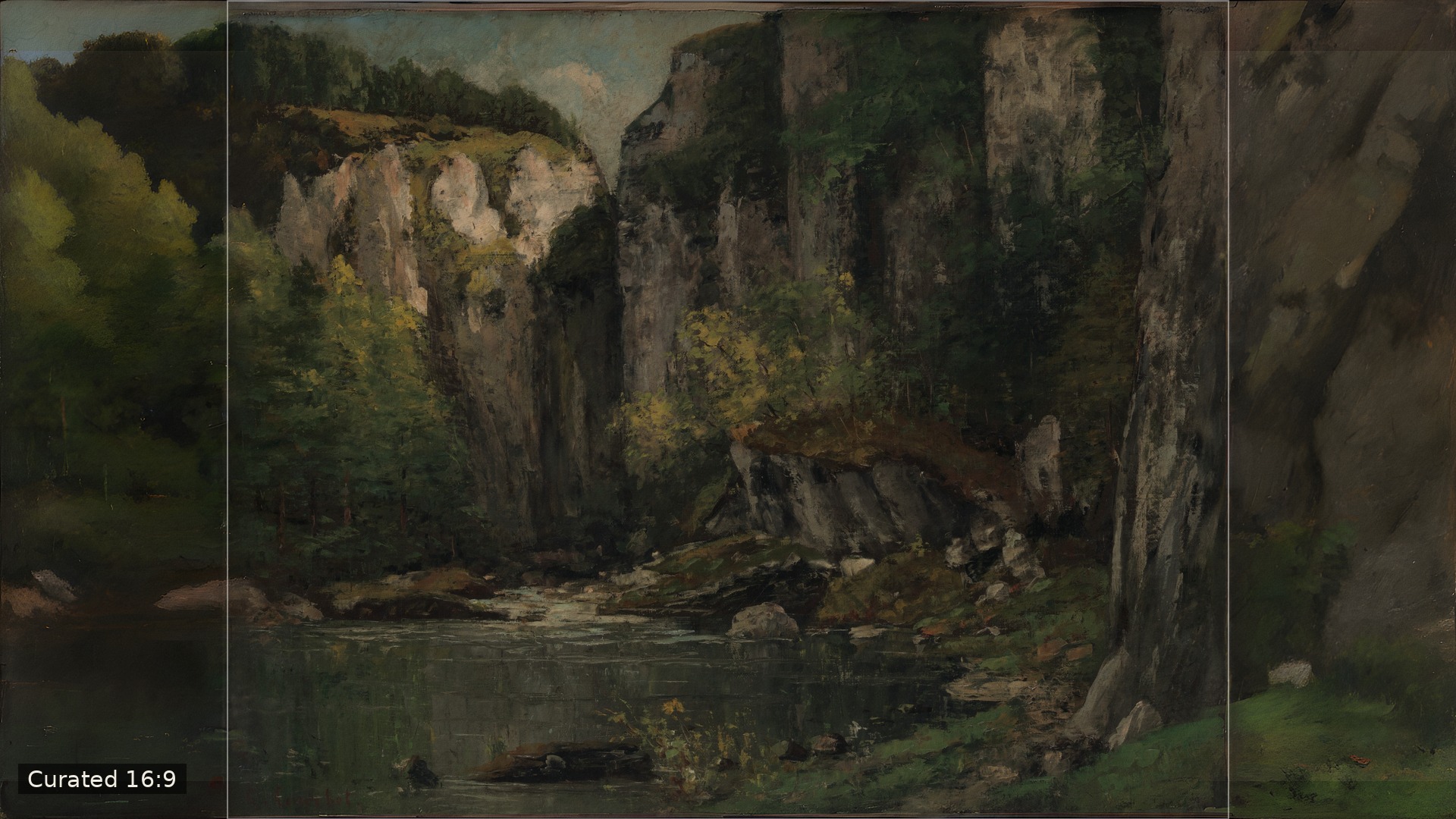
In each comparison, the museum image is on the left. On the right is our 16:9 edition, with a fine line marking where the original ends.
1. Christ Asleep during the Tempest — Eugène Delacroix, ca. 1853
About 32% of the frame added. Delacroix's storm already feels too big for its canvas; widening it lets the green swell roll on past the boat, so the sleeping Christ seems even more alone at the centre of the chaos.
2. River and Rocks — Gustave Courbet, 1873–77
About 31% of the frame added. Courbet built his cliffs with a palette knife; the extension carries that weight of stone outward, and the still water at the base finally has room to breathe.
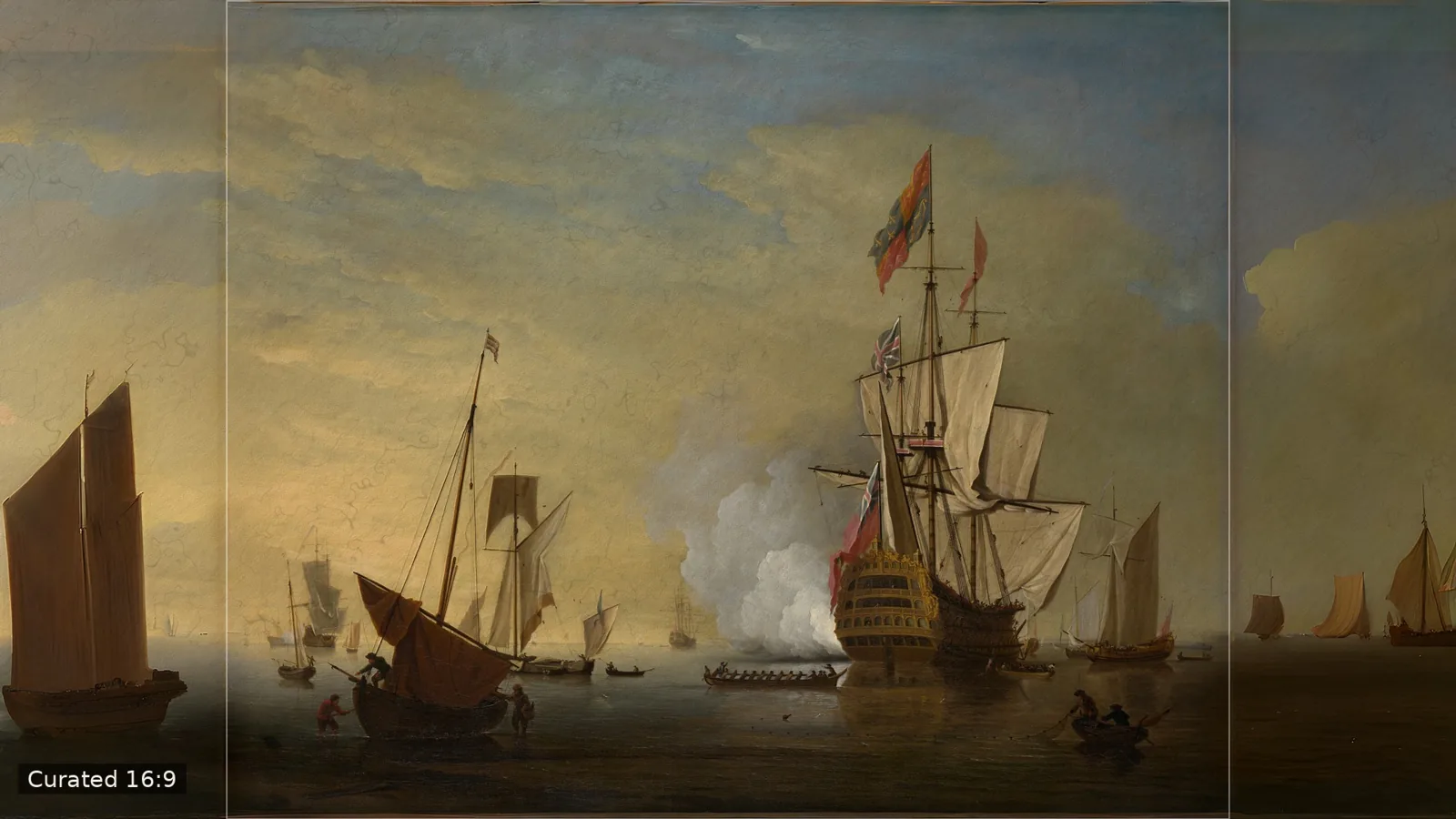
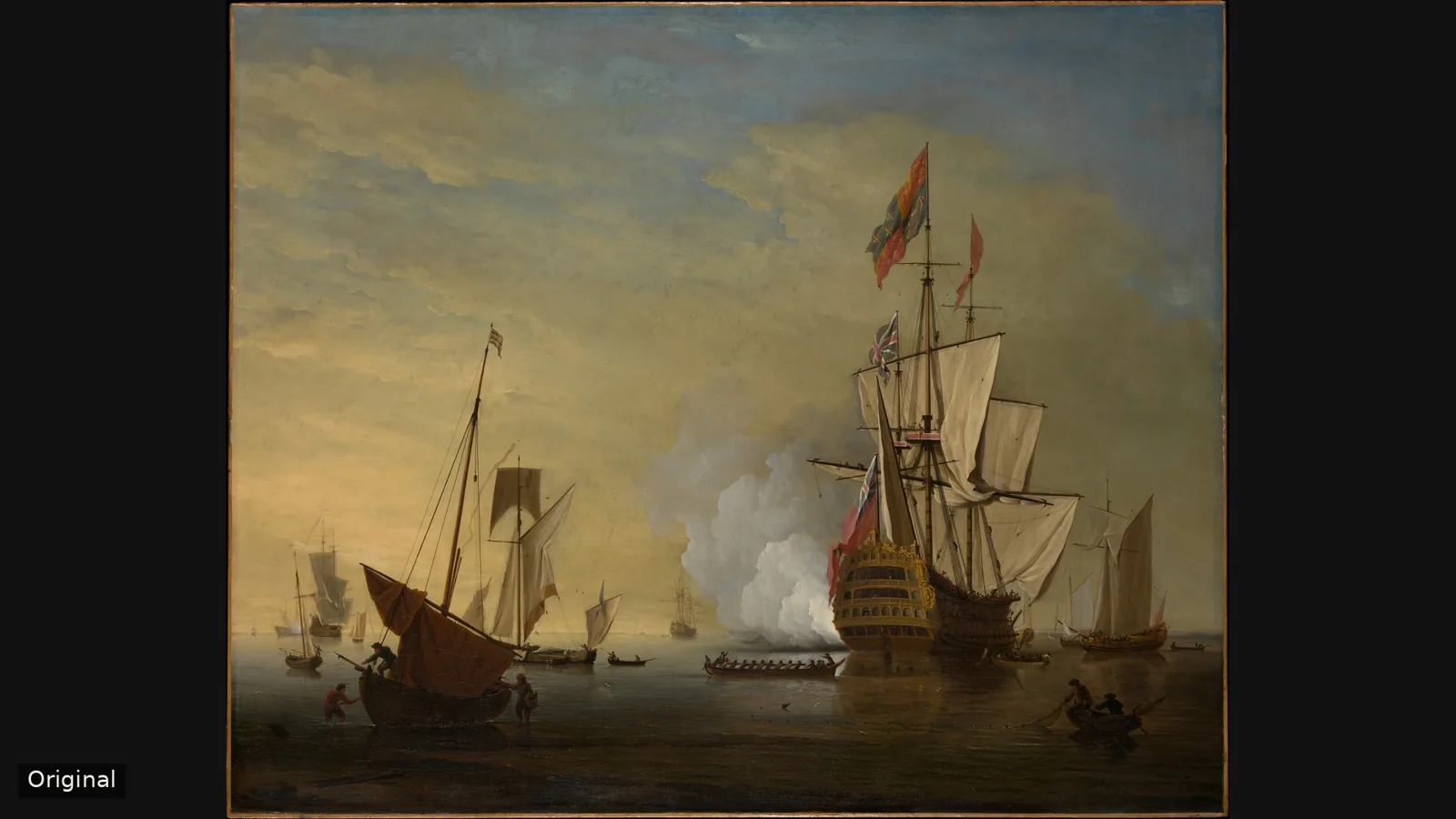
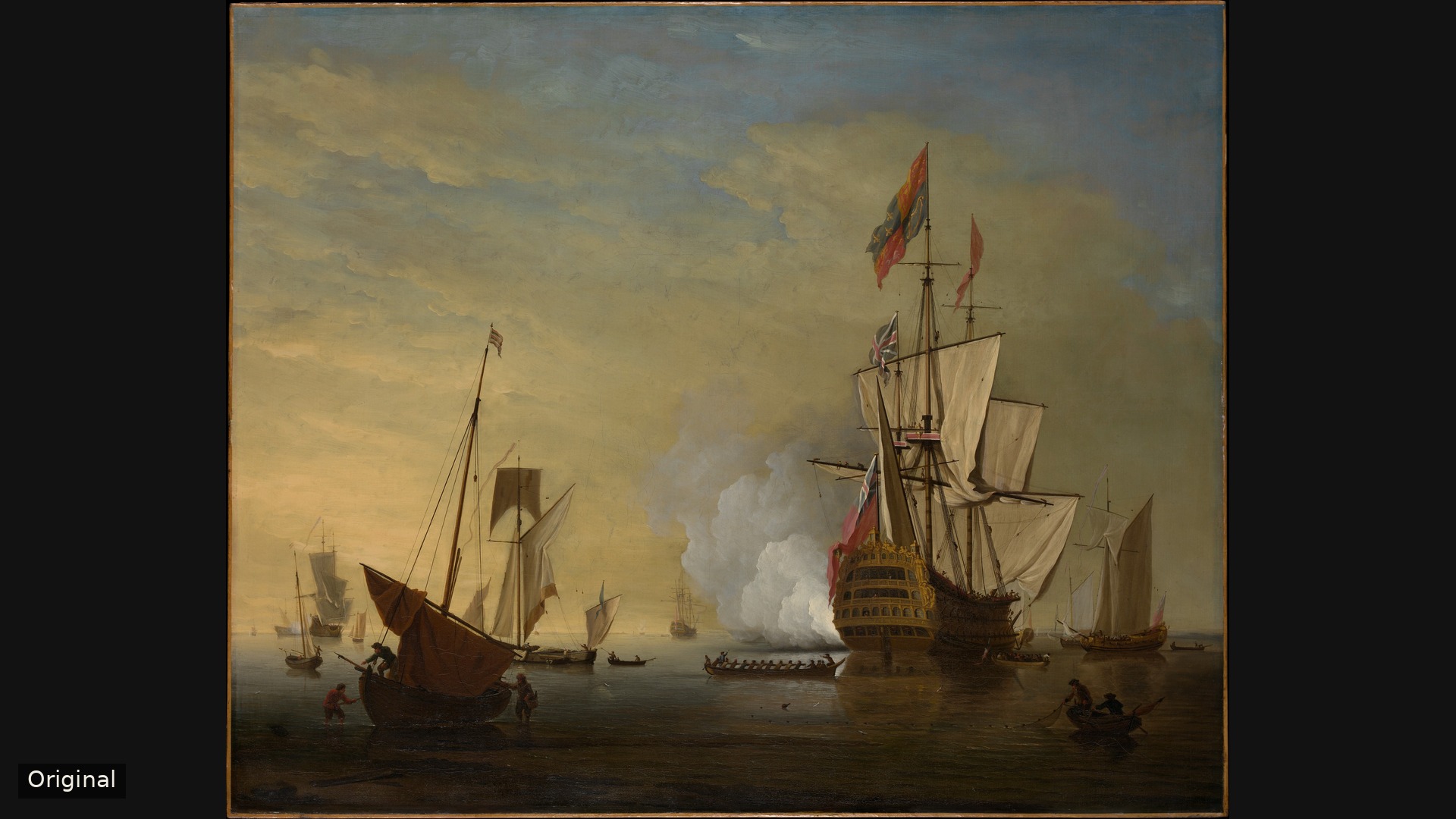
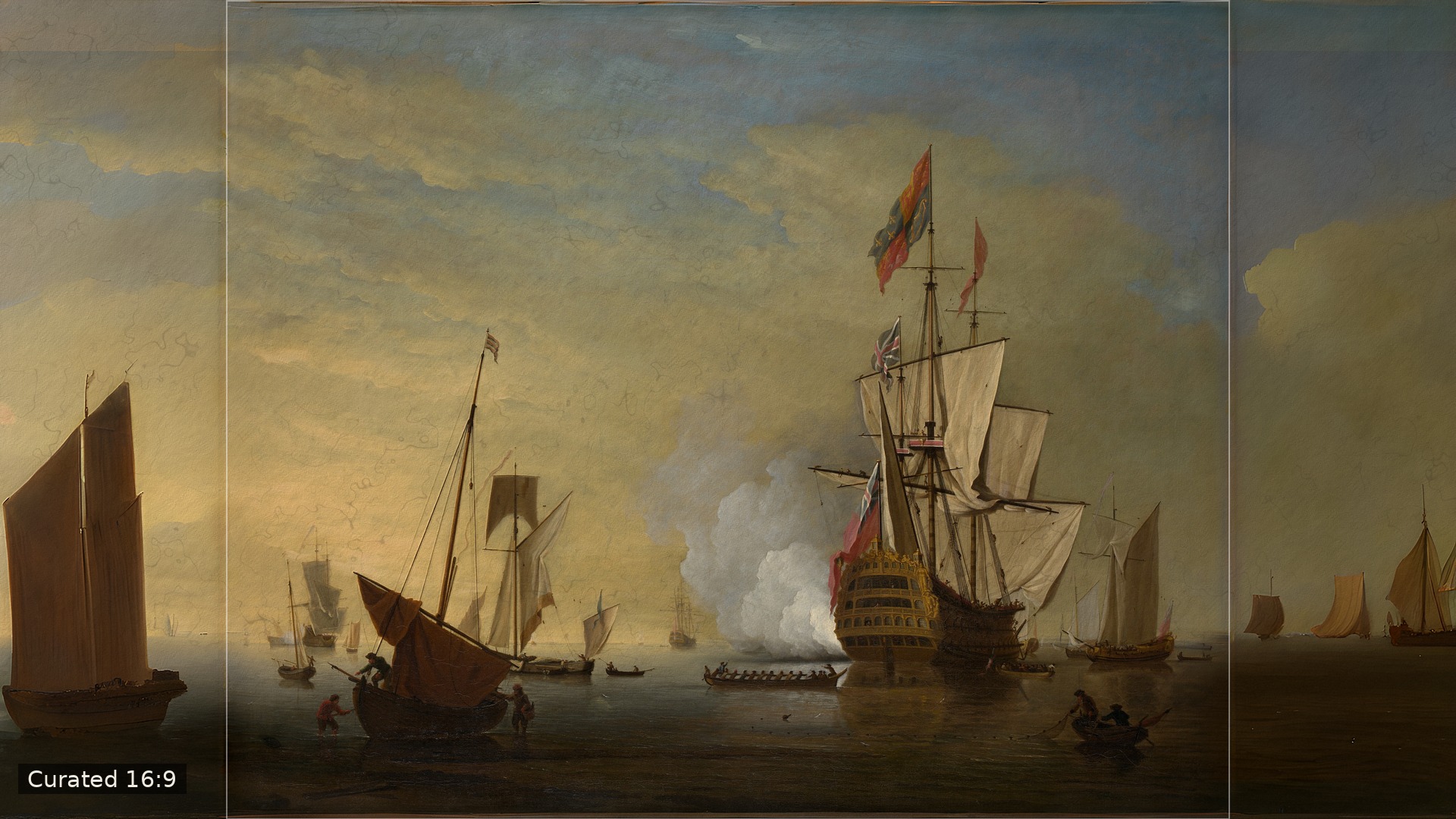
3. Harbor Scene: An English Ship with Sails Loosened Firing a Gun — Peter Monamy
About 31% of the frame added. Monamy's smoke and golden haze were made for a wide horizon; the new margins let more of the anchorage drift into view, as a harbour painting always seemed to want.
Source: The Met Open Access (CC0). Our 16:9 editions preserve each original intact; extended areas are created with AI outpainting and reviewed by a person before publication.